
In 2026, ranking on Google is no longer about stuffing keywords or publishing AI-generated fluff. Google’s algorithms now prioritize helpful, experience-driven content that satisfies user intent.
If you’ve ever published a blog post and wondered why it didn’t show up on Google you’re not alone. Most beginners focus on writing content but forget the one thing that actually helps Google understand and rank it on-page SEO.
The good news? You don’t need to be a tech wizard to get this right. In 2026, on-page SEO guide for beginners is more about being genuinely helpful and strategically structured than stuffing keywords everywhere.
This on-page SEO guide for beginners covers everything you need to know from understanding Google E.E.A.T standards to optimizing your title tags, images, internal links and more. Whether you’re a blogger, freelancer, small business owner, or affiliate marketer, this guide was written for you.
Let’s get into it.
What is On-Page SEO?
On-page SEO guide for beginner refers to all the optimizations you make directly on your web page to help it rank higher in search engine results. This includes your content, HTML elements, headings, URLs, images and how everything is structured.
Think of it this way: Google sends out little bots (called “crawlers”) to read your pages. On-page SEO guide is how you make that content easy for them to understand while also keeping your human readers engaged.
Here what on-page SEO guide covers at a glance:-
Page speed and user experience signals
The words you use (and how you use them)
Your page title and meta description
How your headings are structured
Your URL format
Images and their alt text
Internal links pointing to related content
How Is It Different from Off-Page and Technical SEO?
These three terms often confuse beginners, so let’s clear them up fast:-
| Type | What It Covers | Examples |
|---|---|---|
| On-Page SEO | Content and HTML on your page | Title tags, keywords, headings, content quality |
| Off-Page SEO | Activities outside your website | Backlinks, social signals, brand mentions |
| Technical SEO | Backend website health | Site speed, crawlability, XML sitemaps, HTTPS |
All three work together. But on-page SEO is the foundation without it the other two can’t do their job properly.
How SEO Changed After AI Search Updates
Google algorithm has gone through massive changes in the past few years. The Helpful Content Update, the rise of AI Overviews, and stricter spam detection have completely shifted what “good SEO” looks like.
Here’s what changed:
- Keyword density is dead. Google no longer rewards pages that repeat keywords 50 times.
- Topical authority matters more. Covering a topic deeply and completely beats thin content that just hits keywords.
- User intent is king. Google’s AI now understands why someone is searching, not just what they typed.
- E.E.A.T signals are critical. Who wrote the content and can Google trust them?
In 2026, great on-page SEO means writing for real people first, then making it easy for Google to understand and trust your content.
Understanding Google E.E.A.T in 2026
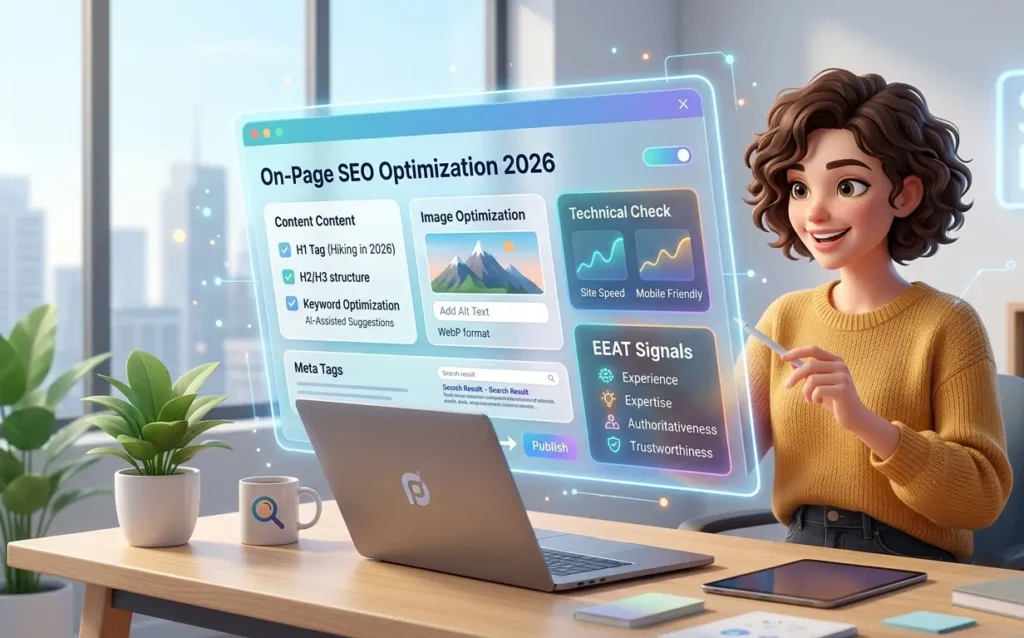
If you are spent any time in SEO circles you are probably heard the term E.E.A.T. It stands for Experience, Expertise, Authoritativeness and Trustworthiness and it’s one of the most important frameworks Google uses to evaluate content quality.On-Page SEO Guide for Beginners 2026 describe all E.E.A.T mean.
What Does E.E.A.T Mean?
Experience
Has the author actually done or lived through what they’re writing about? Google gives more credit to a travel blogger who visited Japan than one who just summarized other articles about Japan.
Expertise :-
Does the content show deep knowledge of the subject? A medical article written by a licensed doctor carries more weight than one by a general writer.
Authoritativeness :-
Is the website or author recognized as a trusted source in their field? This ties into backlinks, brand mentions, and consistency over time.
Trustworthiness:-
Is the page honest transparent and safe? This includes having a clear privacy policy, real contact information and no deceptive practices.
Why EEAT Matters for SEO
Google’s Helpful Content System uses EEAT signals to decide whether a page deserves to rank. With AI-generated content flooding the internet, Google has doubled down on rewarding content that shows real human experience and verifiable expertise.
This means:
- Thin, generic content gets filtered out
- Pages with real author bios and credentials get a boost
- Fact-checked, cited content is trusted more than vague claims
- Sites with transparency signals (About pages Contact pages) rank better
How Beginners Can Improve EEAT
You don’t need a PhD to build E.E.A.T. Here are practical steps you can take right now:
- Add an author bio to every post include your name, credentials and experience
- Cite credible sources link to studies, government sites, or well-known publications
- Share first-hand experiences I tested this tool for 30 days” beats “this tool is reportedly good”
- Create an About page that tells readers who you are and why they should trust you
- Add a Contact page so readers and Google know you’re a real person
- Keep content updated outdated articles hurt trust add “last updated” dates
- Add original insights don’t just summarize; share your own opinions and findings
How Search Intent Works in SEO
Here’s a mistake almost every beginner makes: focusing on keywords without understanding why people are searching for them.
Search intent is the reason behind a search query. Google is exceptionally good at figuring this out and if your content doesn’t match the intent, you won’t rank no matter how well it’s optimized.
The 4 Types of Search Intent
1. Informational Intent The user wants to learn something.
- Example: what is on-page SEO?
- Best content type: Blog posts, guides, how-to articles
2. Navigational Intent The user is trying to reach a specific website or page.
- Example: “Ahrefs login“ or “Semrush pricing page“
- Best content type: Brand pages, landing pages
3. Commercial Intent The user is researching before making a purchase.
- Example: “Best SEO tools 2026″ or “Ahrefs vs Semrush”
- Best content type: Comparison articles, reviews, listicles
4. Transactional Intent The user is ready to buy or take action.
- Example: “Buy Semrush Pro plan” or “Download free SEO checklist”
- Best content type: Product pages, CTAs, landing pages
Why Intent Matters More Than Keyword Density
If someone searches “how to bake sourdough bread,” they want a step-by-step recipe guide not a page that just says “sourdough bread” 40 times. Google’s AI reads your page and compares it against what users actually engage with for that query.
Practical tip: Before writing any article, Google your target keyword and look at the top 5 results. What format are they using? What questions do they answer? That’s your map.On-Page SEO Guide for Beginners 2026 show all keyword research technique.
Keyword Research for Beginners
Good keyword research isn’t about finding the most popular terms. It’s about finding the right terms — ones your audience actually uses, and ones you can realistically rank for.
How to Find Easy-to-Rank Keywords
Long-tail keywords are phrases with 3 or more words. Instead of targeting “SEO” (nearly impossible to rank for) try “on-page SEO tips for beginners 2026.” Less competition, more specific, easier to rank.
Low-competition keywords are terms where the existing top results are from smaller websites not giants like Wikipedia or Forbes. Tools like Ahrefs and Semrush let you filter by keyword difficulty (KD). Aim for KD under 30 when starting out.
Topical clusters mean writing multiple articles around one broad topic. For example, if your main topic is SEO, you might write separate articles on on-page SEO, off-page SEO, keyword research, and link building and link them all together. This tells Google you’re an authority on the topic.
Best Keyword Research Tools in 2026
| Tool | Best For | Price |
|---|---|---|
| Google Keyword Planner | Free keyword data, search volumes | Free |
| Google Trends | Comparing keyword popularity over time | Free |
| Ahrefs | Deep competitor research and backlink analysis | Paid |
| Semrush | All-in-one SEO suite with keyword tracking | Paid |
| Ubersuggest | Budget-friendly tool for beginners | Free/Paid |
Keyword Placement Strategy
Once you’ve chosen your keyword, here’s exactly where to place it:
- Title tag — as close to the beginning as possible
- Meta description — once, naturally
- URL slug — short and keyword-rich
- H1 heading — your primary keyword belongs here
- First paragraph — within the first 100 words
- H2 or H3 subheadings — use naturally where relevant
- Image alt text — describe the image while including the keyword if it fits
- Throughout the body — naturally, not forced
The key word is naturally. If it sounds robotic to a human reader, it’s probably keyword-stuffed.
How to Write SEO-Friendly Content
Writing for SEO in 2026 starts with one principle: write for humans first, Google second.
Google’s algorithms are smart enough to understand context, synonyms, and related concepts. What they’re really evaluating is whether your content genuinely helps the reader.
Content Readability Tips
- Keep paragraphs short — 2 to 4 lines max. Big walls of text scare readers away.
- Use simple language — Write at a 7th to 8th grade reading level. Don’t use jargon unless you explain it.
- Use subheadings — Break up content so readers can scan and find what they need fast.
- Write in active voice — “Google rewards helpful content” is better than “helpful content is rewarded by Google.”
- Use transition words — Words like “however, for example, in addition, and as a result” improve flow and readability.
Topical Authority and Semantic SEO
Topical authority means being the go-to source for a specific subject. You build it by covering your topic thoroughly — answering all the related questions, not just the main one.
Semantic SEO means using related terms and synonyms your audience uses. If you’re writing about “on-page SEO,” you should also mention: meta tags, content optimization, title tags, keyword placement, search intent, and EEAT. Google’s NLP (Natural Language Processing) understands these connections.
Good Content vs. Bad Content
Bad: “On-page SEO is very important. You should do on-page SEO. On-page SEO helps your site rank.
Good: “On-page SEO helps search engines understand your content so they can connect it with the right audience. When done well, it improves your rankings, drives more organic traffic, and helps readers find exactly what they’re looking for.”
The second version uses natural language, provides value, and doesn’t repeat the keyword unnecessarily.
Common Beginner Writing Mistakes
- Writing for word count instead of depth
- Not covering related questions readers actually have
- Ignoring the topic’s natural structure (what to cover first, second, etc.)
- Duplicate content or rewording competitor content instead of adding something new
- Not updating old posts when information changes
Title Tag Optimization
Your title tag is the first thing people see on Google search results. It determines whether they click — or scroll past you.
A well-crafted title can improve your click-through rate (CTR) dramatically, which in turn signals to Google that your page is worth ranking.
How to Write Clickable Title Tags
Follow this formula: Primary Keyword + Benefit or Hook + Year (if relevant)
Good title examples:
- On-Page SEO Guide for Beginners 2026: Step-by-Step to Rank Higher
- 10 On-Page SEO Tips That Actually Work in 2026
- What Is On-Page SEO? A Complete Beginner’s Guide
Bad title examples:
- SEO Article About On-Page Optimization Techniques and Tips for Websites
- On-Page SEO On-Page SEO Tips On-Page SEO Guide
- Untitled Post – My Blog
Title Tag Best Practices
- Keep it between 50 and 60 characters (longer titles get cut off in search results)
- Include your primary keyword near the beginning
- Use numbers when you can (e.g., “7 Tips,” “10 Mistakes”)
- Add power words like “Complete,” “Ultimate,” “Proven,” “Fast,” or “Easy”
- Use emotional triggers — curiosity, urgency, value (“Don’t Make These Mistakes”)
- Don’t duplicate titles across pages — every page needs a unique title
Meta Description Optimization
Your meta description is the short blurb that appears under your title in search results. Google doesn’t use it as a direct ranking factor, but it heavily influences whether someone clicks on your link.
How to Write a Great Meta Description
- Keep it between 150 and 160 characters
- Include your primary keyword naturally
- Add a clear call to action “Learn how,” “Discover,” “Get started today”
- Summarize the value the reader gets from clicking
- Make it sound like a human wrote it, not a robot
Good example: “Learn how to do on-page SEO the right way in 2026. This beginner’s guide covers title tags, keywords, EEAT, and more. Start ranking today.”
Bad example: “On-page SEO guide. On-page SEO tips. On-page SEO checklist. SEO for beginners. SEO optimization.”
If you don’t write a meta description, Google will pull random text from your page and it usually picks something unhelpful. Always write your own.
URL Structure Best Practices
A clean URL is good for both users and search engines. It tells them what the page is about before they even visit it.
What Makes a Good URL?
- Short — Aim for 3 to 5 words
- Descriptive — The URL should reflect the page’s content
- Lowercase — Always use lowercase letters
- Hyphens — Use hyphens (-) to separate words, never underscores (_)
- No unnecessary words — Remove “the,” “a,” “and,” “in,” etc.
SEO-friendly URL examples:
yoursite.com/on-page-seo-guideyoursite.com/keyword-research-toolsyoursite.com/beginner-seo-tips-2026
Bad URL examples:
yoursite.com/p=123yoursite.com/on_page_seo_guide_for_beginners_2026_updatedyoursite.com/blog/category/posts/2026/01/on-page-seo-article-v2-final
Once a URL is published and indexed, avoid changing it this can break existing links and hurt your rankings.
Header Tags Optimization
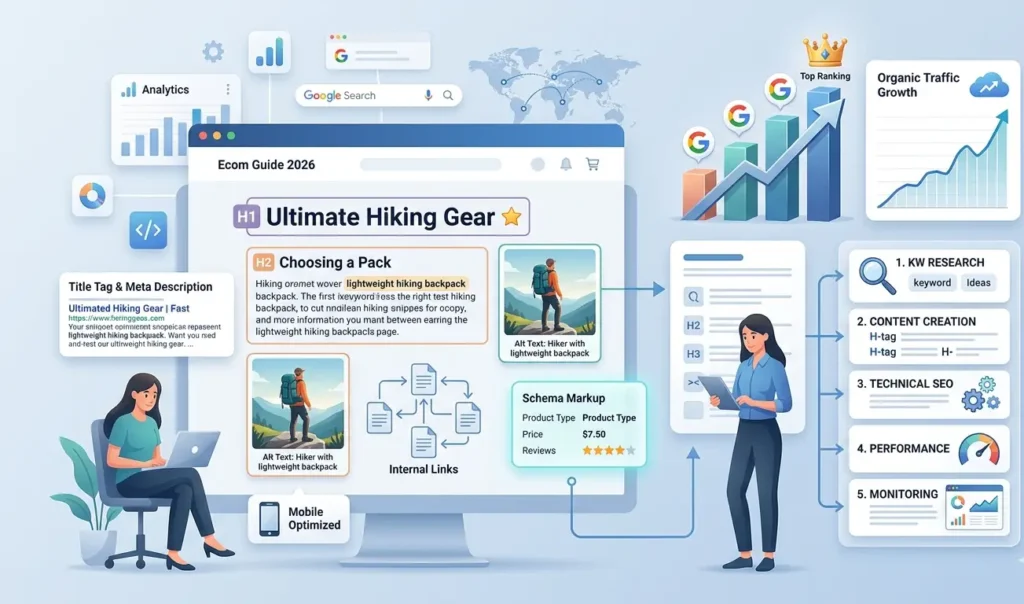
Header tags (H1, H2, H3, and so on) give your content a clear structure. They help readers scan your article and help Google understand what each section is about.
The Right Way to Use Header Tags
- H1 — Used once per page. This is your main title. It should include your primary keyword.
- H2 — Used for main sections. Think of these as chapter headings.
- H3 — Used for subsections within H2s.
- H4 and beyond — Use sparingly, only when you need deeper nesting.
Think of your headers like a table of contents. A reader should be able to skim just the headings and understand what the whole page is about.
Proper structure example:
H1: On-Page SEO Guide for Beginners 2026
  H2: What is On-Page SEO?
  H2: Keyword Research for Beginners
    H3: Long-Tail Keywords
    H3: Best Keyword Tools
  H2: Title Tag Optimization
Avoid skipping levels (going from H1 straight to H3) and don’t use headers just to make text look bold — that’s what bold formatting is for.
Internal Linking Strategy
Internal links connect one page on your site to another. Internal links one of the most underrated on-page SEO techniques.
Why Internal Links Matter
- They help Google discover new pages on your site
- They spread “link authority” (PageRank) from strong pages to weaker ones
- They keep readers on your site longer by pointing them to related content
- They help establish topical clusters and content hierarchy
Best Anchor Text Practices
Anchor text is the clickable text of your link. Use descriptive anchor text that tells the reader (and Google) what the linked page is about.
Good anchor text: “Learn more about [keyword research strategies]” Bad anchor text: “Click [here]” or “Read [this article]”
Internal Linking Mistakes to Avoid
- Linking to the same page multiple times with different anchor text
- Using generic anchors like “click here” or “read more”
- Not linking from high-traffic pages to newer, less-known ones
- Orphan pages pages with no internal links pointing to them
A good rule of thumb: every new post you publish should link to at least 2–3 existing posts, and you should go back and add links to the new post from relevant older content.
Image SEO Optimization
Images make your content more engaging, but they can also slow your site down and hurt your rankings if they’re not optimized properly.
Image SEO Checklist
File names: Rename images before uploading. Use descriptive, keyword-rich names.
- Bad:
IMG_4892.jpg - Good:
on-page-seo-checklist-2026.jpg
Alt text: This is the text that describes an image to search engines and screen readers. Every image should have alt text.
- Bad:
alt="image1" - Good:
alt="on-page SEO checklist for beginners 2026"
File format: Use WebP format when possible — it’s significantly smaller than JPEG or PNG without losing quality. Most modern CMSs support it.
Compression: Compress images before uploading. Tools like TinyPNG or ShortPixel can reduce file sizes by 60–80% without visible quality loss.
Lazy loading: This makes images load only when they’re about to come into view, rather than all at once. It improves page speed significantly. Add loading="lazy" to your <img> tags.
Why Image SEO Affects Rankings
Large, unoptimized images are one of the leading causes of slow page speed — and page speed is a confirmed Google ranking factor. A page that takes 5 seconds to load loses roughly half its visitors before they even see your content.
Core Web Vitals and Page Experience
Core Web Vitals are Google’s official set of metrics for measuring page experience. They’re a real ranking factor, and they’re worth understanding even if you’re a complete beginner.
The Three Core Web Vitals
LCP (Largest Contentful Paint) — How long it takes for the main content of your page to load. Aim for under 2.5 seconds.
INP (Interaction to Next Paint) — How responsive your page is when a user clicks, taps, or types. Replaced the old FID metric. Aim for under 200 milliseconds.
CLS (Cumulative Layout Shift) — How much the page layout shifts unexpectedly while loading (like when an ad pops in and moves your content). Aim for a score under 0.1.
Beginner Optimization Tips
- Use a fast, lightweight hosting provider
- Enable browser caching
- Use a CDN (Content Delivery Network) to serve content faster globally
- Minimize JavaScript and CSS files
- Optimize all images before uploading
- Avoid too many third-party scripts (chat widgets, trackers, etc.)
Tools like Google PageSpeed Insights and GTmetrix give you a free score and specific suggestions for improvement.
Mobile SEO in 2026
Over 60% of all web searches now happen on mobile devices. Google uses mobile-first indexing meaning it primarily uses your mobile site to determine rankings, not your desktop version.
If your site looks great on desktop but breaks on mobile, your rankings will suffer.
Mobile SEO Best Practices
- Use a responsive design that automatically adjusts to screen size
- Make buttons and links large enough to tap without zooming in
- Avoid pop-ups that cover the entire screen (Google penalizes these)
- Test your site using Google’s Mobile-Friendly Test tool
- Use readable font sizes minimum 16px for body text
Common Mobile SEO Mistakes
- Text too small to read without zooming
- Links too close together (easy to tap the wrong one)
- Content wider than the screen (horizontal scrolling)
- Videos or images that don’t scale properly
- Interstitials (pop-ups) that block content immediately after a click
Schema Markup for Beginners
Schema markup is code you add to your page to help Google display rich results — things like star ratings, FAQs, breadcrumbs, and recipe details right in the search results.
It doesn’t directly boost rankings, but it makes your listing more eye-catching, which can significantly improve your CTR.
Common Schema Types for Bloggers
Article Schema — Helps Google understand your post is a news or blog article. Useful for getting included in Google’s Top Stories.
FAQ Schema — Adds expandable FAQ sections directly in search results. Great for informational content.
Review Schema — Displays star ratings in search results. Highly effective for product reviews and comparison articles.
Breadcrumb Schema — Shows the navigation path in your search result (e.g., Home > Blog > SEO Guide).
How to Implement Schema (Beginner-Friendly)
If you’re using WordPress, plugins like Rank Math or Yoast SEO add schema markup automatically. For other platforms, you can use Google’s Structured Data Markup Helper to generate the code and add it to your page’s HTML.
After adding schema, test it with Google’s Rich Results Test to make sure it’s implemented correctly.
AI Content and SEO in 2026
AI writing tools have become part of many content creators’ workflows. But here’s the honest truth: Google doesn’t care how content is written. It cares about quality.
Can AI-Generated Content Rank?
Yes but only if it’s high-quality, accurate, and genuinely helpful. Google’s stance is clear: it rewards helpful content and penalizes low-quality content, regardless of whether it was written by a human or an AI.
The problem is that most raw AI content is:
- Generic and vague
- Missing first-hand experience
- Often factually incorrect or outdated
- Nearly identical to thousands of other AI-generated pages
How to Use AI Content Responsibly
- Treat AI as a draft generator, not a finished product
- Fact-check everything — AI tools often hallucinate statistics and citations
- Add your own voice — share opinions, experiences, and examples AI can’t know
- Edit for depth — AI tends toward surface-level coverage; go deeper where it matters
- Optimize for EEAT — add author credentials, cite real sources, show expertise
The sites that get penalized for AI content aren’t using AI — they’re publishing lazy, unedited, unoriginal AI output at scale. Used thoughtfully, AI is just a tool like any other.
Common On-Page SEO Mistakes to Avoid
Every beginner makes these mistakes. Knowing them in advance saves you months of wasted effort.
Keyword stuffing — Repeating your keyword unnaturally throughout the article. Google detects this and may penalize your page.
Thin content — Publishing short, low-effort articles that don’t fully answer the reader’s question. A 200-word post rarely ranks for anything competitive.
Duplicate content — Having the same (or very similar) content on multiple pages of your site confuses Google and dilutes your ranking potential.
Ignoring search intent — Writing a product page when the searcher wants an informational guide (or vice versa).
Slow loading pages — Every extra second of load time reduces conversions and signals poor page experience to Google.
Missing internal links — Publishing posts in isolation, without linking to related content on your site.
Poor mobile optimization — Ignoring how your site looks and performs on smartphones.
Weak EEAT signals — No author bio, no About page, no credentials, no cited sources.
Best SEO Tools for On-Page Optimization in 2026
You don’t need all of these. Start with the free ones and upgrade as your site grows.
Google Search Console — Free. Shows how your pages perform in search, which keywords bring traffic, and what technical issues Google has found. Essential for every website owner.
Google Analytics — Free. Tracks visitor behavior on your site where they come from, what they read, and how long they stay.
Ahrefs — Paid. Industry-leading tool for keyword research, competitor analysis, and backlink tracking. The keyword difficulty scores are particularly reliable.
Semrush — Paid. Comprehensive SEO suite with excellent on-page audit tools, keyword tracking, and content optimization features.
Screaming Frog — Free (up to 500 URLs). Crawls your website like Google does and identifies technical issues: broken links, duplicate titles, missing meta descriptions, and more.
Rank Math — Free WordPress plugin. Handles on-page SEO elements (title tags, meta descriptions, schema markup) with a clean, beginner-friendly interface.
Yoast SEO — Free WordPress plugin. The most popular SEO plugin. Gives you real-time feedback on readability and keyword optimization as you writer.
Real-World SEO Lessons Most Beginners Learn Too Late
One thing I’ve learned from working on websites is that perfect SEO optimization alone doesn’t guarantee rankings. Some of my best-performing pages weren’t the most “SEO-perfect” they simply solved the user’s problem better.
I once published a fully optimized article with proper keywords, headings, internal links, and fast loading speed, but it barely ranked. Later, I updated it using real user questions from Reddit, Google suggestions, and beginner feedback. I also added clearer explanations and personal insights.
Within a few months, the page started ranking for multiple long-tail keywords.
This taught me an important lesson: Google now rewards genuinely helpful, experience-driven content more than mechanically optimized pages.
Many beginners focus too much on keyword density and not enough on clarity, usefulness, and real value. In most cases, content that satisfies user intent will outperform keyword-stuffed articles.
That’s why modern SEO in 2026 is about:
- Real expertise
- First-hand insights
- Helpful content
- Regular updates
- Building trust with readers
Instead of trying to sound perfect, focus on making your content genuinely useful. That’s what builds long-term rankings and authority.
Final Thoughts
I On-page SEO is not a one-time task. It’s an ongoing process of creating helpful content, optimizing the technical details, and building trust with both your readers and Google.
Here’s the mindset that will serve you well long-term:
Focus on people first. Every optimization decision should start with the question: “Does this make the page more helpful and easier to use for my readers?”
SEO is a long-term game. Most pages take 3 to 6 months to rank after publishing. Don’t quit after two weeks. Consistency beats everything.
Build authority gradually. Don’t try to cover every topic at once. Pick a niche, go deep, build a topical cluster, and become the trusted resource in your space.
Publish high-quality content consistently. One great post per month beats four mediocre posts per week. Quality always wins in the long run.
Trust is your most valuable SEO asset. Readers who trust you come back. They share your content. They link to you. That’s how real, lasting rankings are built.
Start with the checklist in this guide, apply the strategies one at a time, and revisit your older posts to strengthen them. Progress compounds over time — and so does your organic traffic.
What is On-Page SEO?
On-page SEO is the practice of optimizing individual web pages including their content, HTML elements, and structure to rank higher in search engine results and attract more relevant organic traffic.
Is On-Page SEO Enough to Rank on Google?
On-page SEO is essential, but it works best alongside off-page SEO (especially backlinks) and technical SEO. For low-competition keywords, strong on-page SEO alone can often be enough to rank. For competitive keywords, you’ll also need authority signals like quality backlinks.
How Long Does SEO Take to Work?
Generally, expect to wait 3 to 6 months before seeing significant results from new content. Some low-competition keywords can rank faster, while highly competitive terms may take a year or more. SEO is a long-term investment.
What is the Most Important On-Page SEO Factor?
Content quality and search intent matching are arguably the most important factors. If your content genuinely answers what the searcher is looking for better than your competitors, you have a strong foundation. Title tags and internal linking are close behind.
What Are Common SEO Mistakes Beginners Make?
The most common mistakes include: keyword stuffing, publishing thin content, ignoring search intent, skipping meta descriptions, having no internal links, using unoptimized images, and neglecting mobile optimization. This guide covers all of them in detail — use the checklist above to make sure you avoid them.